
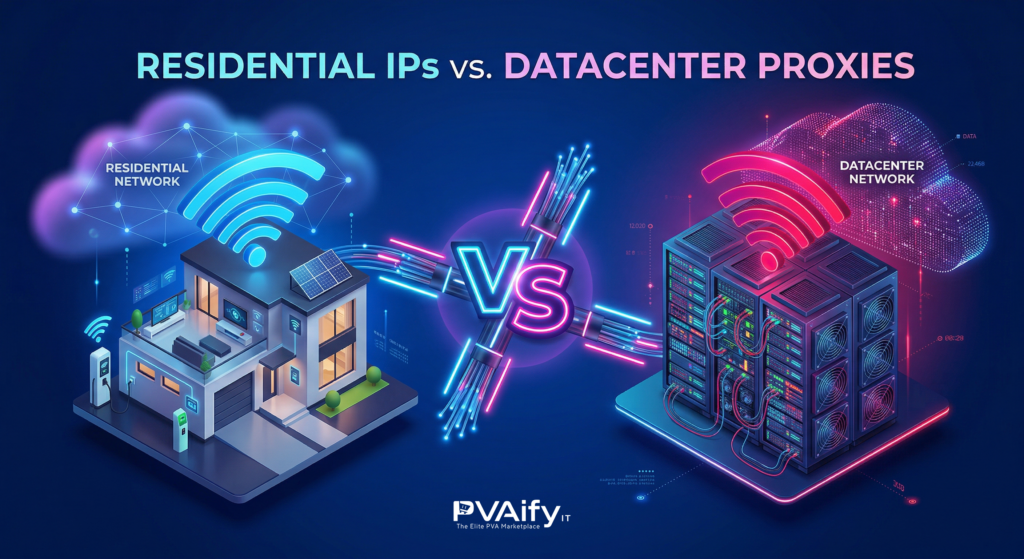
Residential IPs vs Datacenter Proxies: Which is Best for Account Security?
Let’s talk about the elephant in the room when it comes to managing multiple social media accounts. You can have the most authentic, well-aged, phone-verified profile in the world. You can have a brilliant marketing strategy and the perfect content ready to go. But if you log into that account using the wrong type of internet connection, you will lose everything in a matter of seconds.
The security algorithms of platforms like Instagram, LinkedIn, X, and Facebook do not just look at your username and password. Before the page even fully loads, they are scanning your IP address. They are checking where that IP comes from, who owns it, and whether it looks like a real human being or a marketer trying to game the system.
If you are running campaigns in top-tier markets like the US, UK, or EU, you already know you need proxies to keep your accounts separated. But stepping into the proxy market feels like walking into a technical minefield. You are immediately hit with the big question: Should you save money with Datacenter proxies, or invest heavily in Residential proxies?
Let’s break down the honest truth about both options, strip away the confusing tech jargon, and figure out exactly what you need to keep your digital assets safe.
The Cheap and Fast Trap: Datacenter Proxies
When most people start their journey into digital marketing and account management, they usually buy datacenter proxies first. Why? Because they are incredibly cheap, widely available, and blazing fast.
What exactly is a datacenter proxy?
Unlike a regular internet connection at your house, datacenter proxies are created in massive, remote server farms owned by cloud hosting companies like Amazon Web Services (AWS), DigitalOcean, or Linode. These companies buy thousands of IP addresses in bulk and sell them to users who need to mask their real location.
The Pros of Datacenter Proxies:
- Speed: Because they run on commercial-grade servers, the internet speeds are phenomenal.
- Cost: You can buy them for pennies on the dollar. They are incredibly budget-friendly for beginners.
- Static Nature: The IP address rarely changes unless you manually request a new one, making it easy to keep a consistent digital footprint.
The Fatal Flaw for Social Media Accounts:
Here is the massive problem: Social media platforms are not stupid. They maintain massive databases of ASNs (Autonomous System Numbers). An ASN identifies who owns a block of IP addresses. If a platform scans your IP and sees that it belongs to a datacenter in Virginia owned by a cloud hosting provider, alarms instantly go off.
Real humans do not browse Facebook from an AWS data center server. Marketers, scrapers, and bots do.
When you log into a premium PVA using a datacenter proxy, you are basically walking into a high-security building wearing a ski mask. You might not have done anything wrong yet, but security is going to follow you everywhere. The moment you like a post too fast or send one too many DMs, the account gets locked.
The Ultimate Camouflage: Residential Proxies
If datacenter proxies are a neon sign, residential proxies are an invisibility cloak. This is what the top 1% of digital agencies and marketers use to scale their operations safely.
What exactly is a residential proxy?
A residential proxy is a real IP address provided by a legitimate, local Internet Service Provider (ISP)—like Comcast, AT&T, Verizon, or Virgin Media. These IPs are attached to actual physical devices, like a laptop sitting in an apartment in London or a smartphone connected to a Wi-Fi router in New York.
When you connect through a residential proxy, your traffic is routed through that actual household connection.
The Pros of Residential Proxies:
- Unmatched Trust Score: When the algorithm scans a residential IP, it sees a real home address and a standard consumer ISP. It looks exactly like a normal person browsing the web from their living room.
- Incredible Targeting: You can pinpoint your location down to a specific city. If you need an account to look like it belongs to someone in Manchester, UK, you can get an IP from that exact city.
- Ban Resistance: Because these IPs belong to real consumer networks, social media platforms are highly reluctant to ban them. If they ban a real residential subnet, they risk banning thousands of actual, legitimate users.
The Cons of Residential Proxies:
- The Price Tag: They are significantly more expensive than datacenter options. You often pay by the gigabyte (bandwidth) rather than a flat monthly fee per IP.
- Slightly Slower Speeds: Because you are routing traffic through someone else’s home network, the connection speed will be slower than a commercial server. However, for managing social media accounts, the speed is more than enough.
The Mobile Proxy Bonus: The Platinum Standard
While we are comparing proxies, it’s worth mentioning the undisputed king of account security: 4G/5G Mobile Proxies.
Mobile proxies route your connection through actual cellular towers (like T-Mobile or Vodafone). Cell phone towers assign the same IP address to hundreds of different users at the same time through a technology called CGNAT. Social media platforms physically cannot ban a mobile IP address without simultaneously banning hundreds of innocent people waiting for a bus or sitting in a cafe. If you have the budget, mobile proxies offer the absolute highest level of protection available today.
Protecting Your Investment: The Final Verdict
Let’s put this into a real-world perspective. If you are buying premium, well-aged, and fully verified accounts to run your agency campaigns, you are making an investment.
Buying a high-quality account from PVAify IT and then logging into it with a $1 datacenter proxy is like buying a Ferrari and putting cheap, dirty lawnmower gas in the tank. The engine is going to choke, and the car will break down.
Here is the golden rule for account management:
If you are doing data scraping, SEO monitoring, or running automated software that doesn’t require logging into a social media profile, use datacenter proxies. Save your money.
But if you are logging into a social media account, running ads, sending outreach messages, or managing a client’s brand in a strict market like the US, UK, or EU, you must use Residential or Mobile Proxies. The cost of replacing banned accounts, losing client trust, and wasting hours of setup time far outweighs the extra money spent on a secure, legitimate residential IP. Treat your digital assets with respect, give them a clean digital environment, and they will reward you with long-term stability and growth.
Frequently Asked Questions (FAQ)
Q: Can I use a free VPN instead of buying a proxy?
A: Absolutely not. Free VPNs are the worst possible option for account management. Thousands of people use the exact same free VPN servers simultaneously to do illegal or spammy activities. Those IP addresses are already blacklisted by every major social media platform. Logging in with a free VPN is an instant death sentence for your account.
Q: What is the difference between a static residential proxy and a rotating one?
A: A rotating residential proxy changes your IP address every few minutes or every time you refresh the page. This is terrible for social media accounts, as it looks like you are flying across the country every 10 minutes. A static (or sticky) residential proxy keeps the exact same IP address for a long period (often up to 30 days). For managing PVAs, you always want static residential IPs so your login location remains consistent.
Q: If I buy a UK verified account, do I absolutely need a UK proxy?
A: Yes. If you purchase an account that was created and verified in the UK, the platform expects that user to be in the UK. If you suddenly log into that UK account from a residential IP in the Philippines or Brazil, the algorithm will immediately flag the account for suspicious login activity. Always match the IP geography to the account’s origin.
Q: How many accounts can I safely put on a single residential IP?
A: The golden ratio for maximum security is 1 IP address per account. This ensures complete isolation. However, to save costs, many marketers successfully run up to 3 accounts on a single high-quality residential IP. Never exceed 3, or you risk losing the entire batch if one account triggers a security flag.
Q: How do I know if the proxy I bought is actually residential and not a fake datacenter one?
A: There are several free tools online like IPinfo.io or Whoer.net. When you connect to your proxy, go to one of these sites. It will show you the ASN (Autonomous System Number) and the ISP name. If it says something like “Comcast Cable Communications” or “AT&T,” you are good. If it says “Amazon.com Services” or “DigitalOcean,” you have been sold a datacenter proxy disguised as a residential one.